前置き
ワイは中古で買ったLets Note(CF-SV7)を使ってる。
OSはWin11Proだったんだけど、信仰上プライベートでMicros●ft製品は使えないのでArchLinuxにしてるwww
Wind●wsであれば、赤外線カメラを使った顔認証(Wind●ws Helloだっけ?)が標準で使えたんだけど....
ArchLinuxにしてから使ってなかったなーと思い立ったので、赤外線カメラを使って顔認証を使えるようにしよう!ということでやってみまーす。
まずは、howdyを入れてきましょー
sudo yay -Sy howdy-git
上のコマンド叩いて飯食ってたらこれよ...
うまく行かないっすね〜www
おもしろ怒
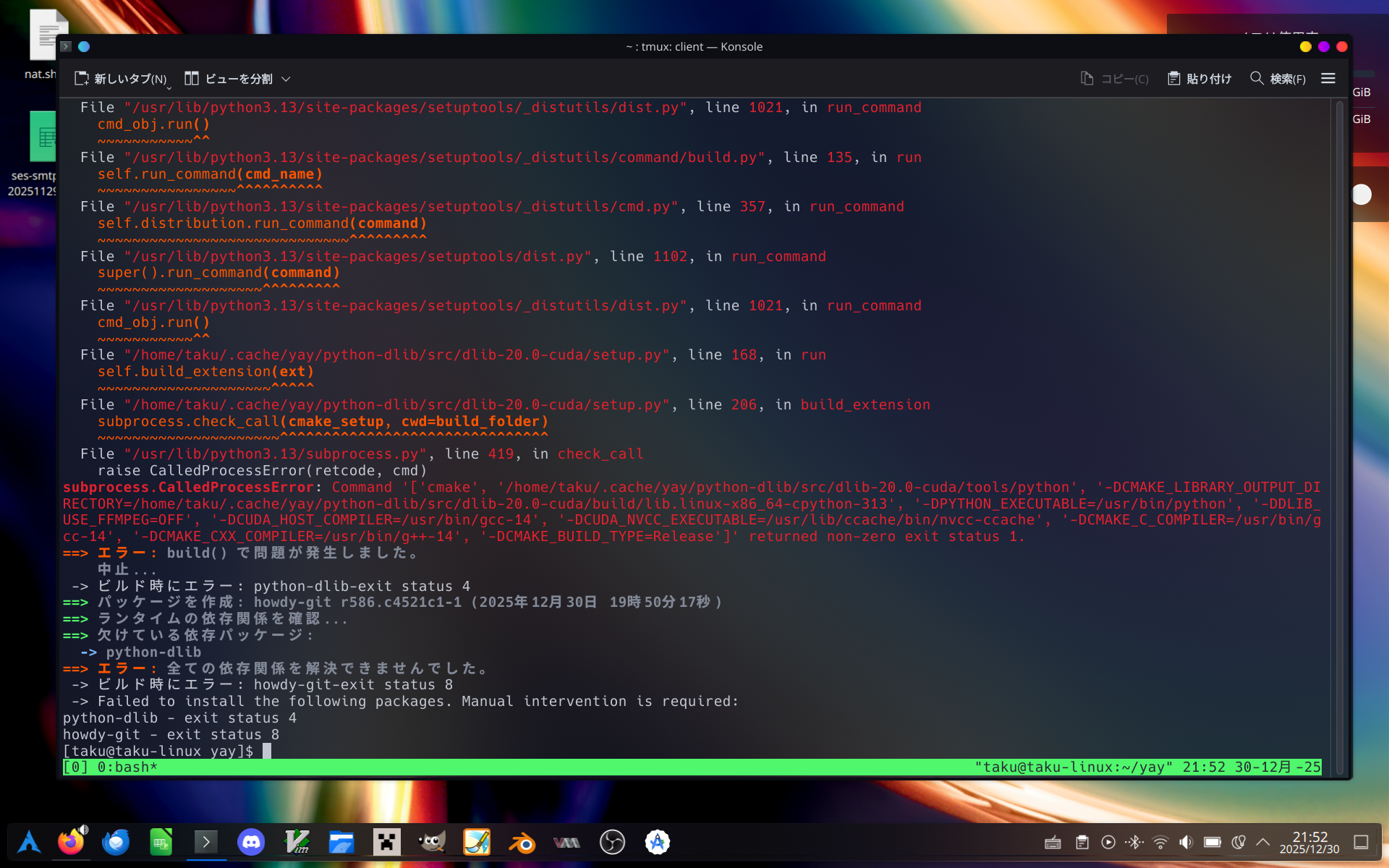
>>2
[ 88%] Building CXX object CMakeFiles/_dlib_pybind11.dir/src/rectangles.cpp.o
{standard input}: Assembler messages:
{standard input}:1075699: Warning: 文字列内でファイル終端 (EOF) に達しました。 '"' が挿入されました
{standard input}:1075724: Warning: .base64 string terminated early
c++: 致命的エラー: 強制終了 signal terminated program cc1plus
コンパイルを停止しました。
メモリめっちゃ食ってるっぽいな〜
多分OOMでC++のコンパイラ落ちてるな
-- The CXX compiler identification is unknown
CMake Error at CMakeLists.txt:14 (project):
  The CMAKE_C_COMPILER:

    /usr/bin/gcc-14

  is not a full path to an existing compiler tool.

  Tell CMake where to find the compiler by setting either the environment
  variable "CC" or the CMake cache entry CMAKE_C_COMPILER to the full path to
  the compiler, or to the compiler name if it is in the PATH.

CMake Error at CMakeLists.txt:14 (project):
  The CMAKE_CXX_COMPILER:

    /usr/bin/g++-14

  is not a full path to an existing compiler tool.

  Tell CMake where to find the compiler by setting either the environment
  variable "CXX" or the CMake cache entry CMAKE_CXX_COMPILER to the full path
  to the compiler, or to the compiler name if it is in the PATH.
メモリ問題は解決した(いろいろサービスkillした)けど、
今度はGCC 14じゃないとダメみたいな感じで怒られた。
今使ってるのはGCC 15だからな...これを回避する方法を考えないとな。
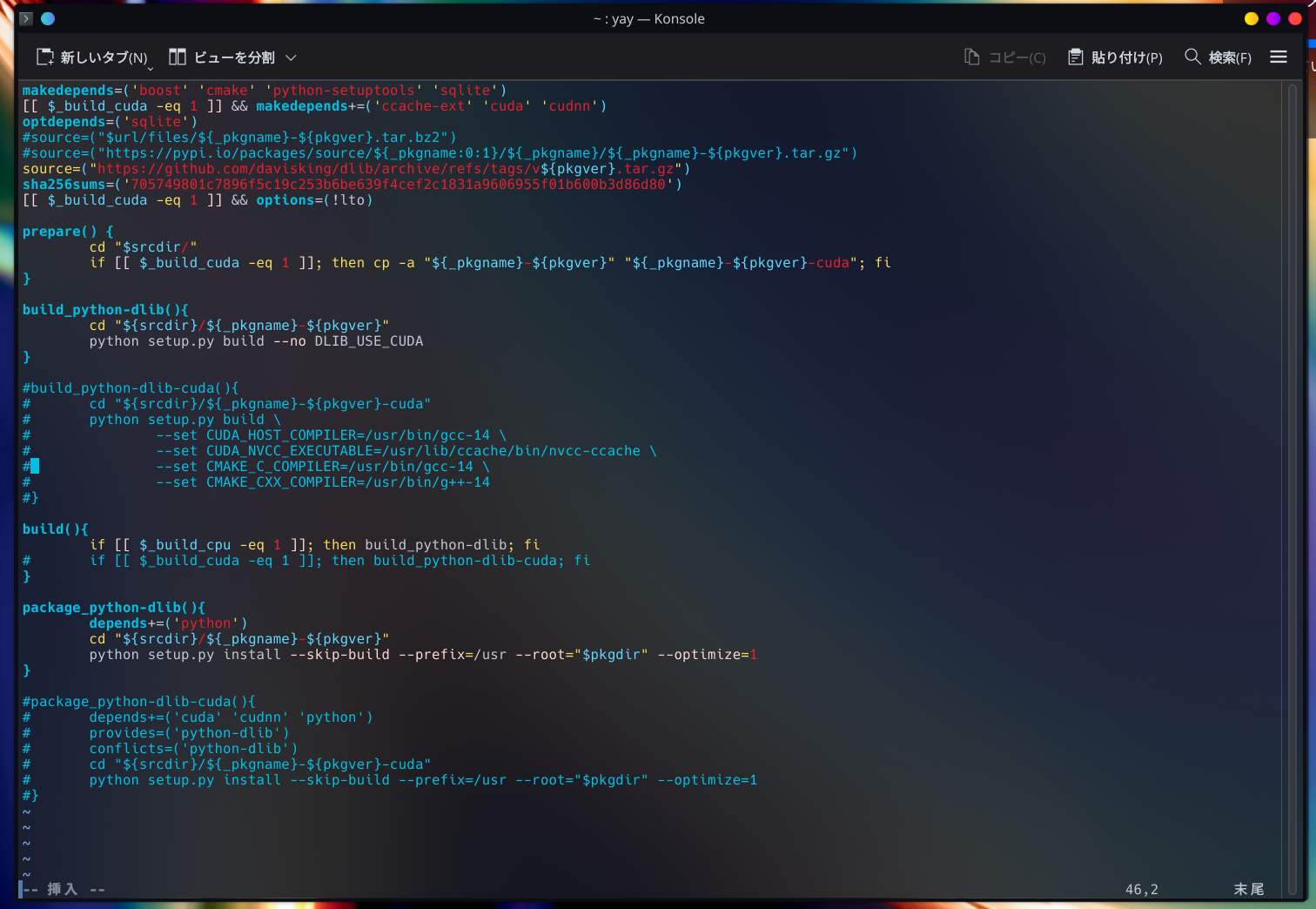
pkgbuildの編集で、cuda関連をコメントアウトしてやった。
ワイルドすぎる気もするけど意外といけそうじゃね?www
やってみるかー
>>5
あ、違うわ。「_build_cuda」って変数があるな。
デフォだと1なんだけど、0にすりゃいいんだ。
やってみやーす
>>6 python-dlibはインストールでけた
次はhowdyいれる
howdyもインストールでけた。
cudaのせいでめっちゃ沼ったわ。
リーナスがNvidiaに対してFu●kyouっていう動画あるけど、そのときのリーナスの気持ちがチョットワカッタwww

よし。じゃあhowdyのセットアップしますかー
sudo howdy configを実行して、設定ファイルの編集画面がひらくから、
device_pathって変数に赤外線カメラを設定するよ。
そしたらsudo howdy addで顔を登録。
んでPAMの設定をして終わり。
cd /etc/pam.d

ファイル:sudo
ファイル:kde
上記ファイルに下記の行を追加
auth    sufficient      /lib/security/pam_howdy.so

んで、
sudo cp /usr/lib/pam.d/polkit-1 .を実行して終わり